Using the workout builder
Build a custom structured workout, step by step, right on your phone — no external account needed.
-
1. Open "My workouts"
From the menu, choose My workouts, then tap + New workout.
-
2. Name it and add steps
Give the workout a name, then tap + Add step. Each step is either Steady (one target %FTP for a set duration) or Ramp (a target that changes smoothly from a start to an end %FTP).
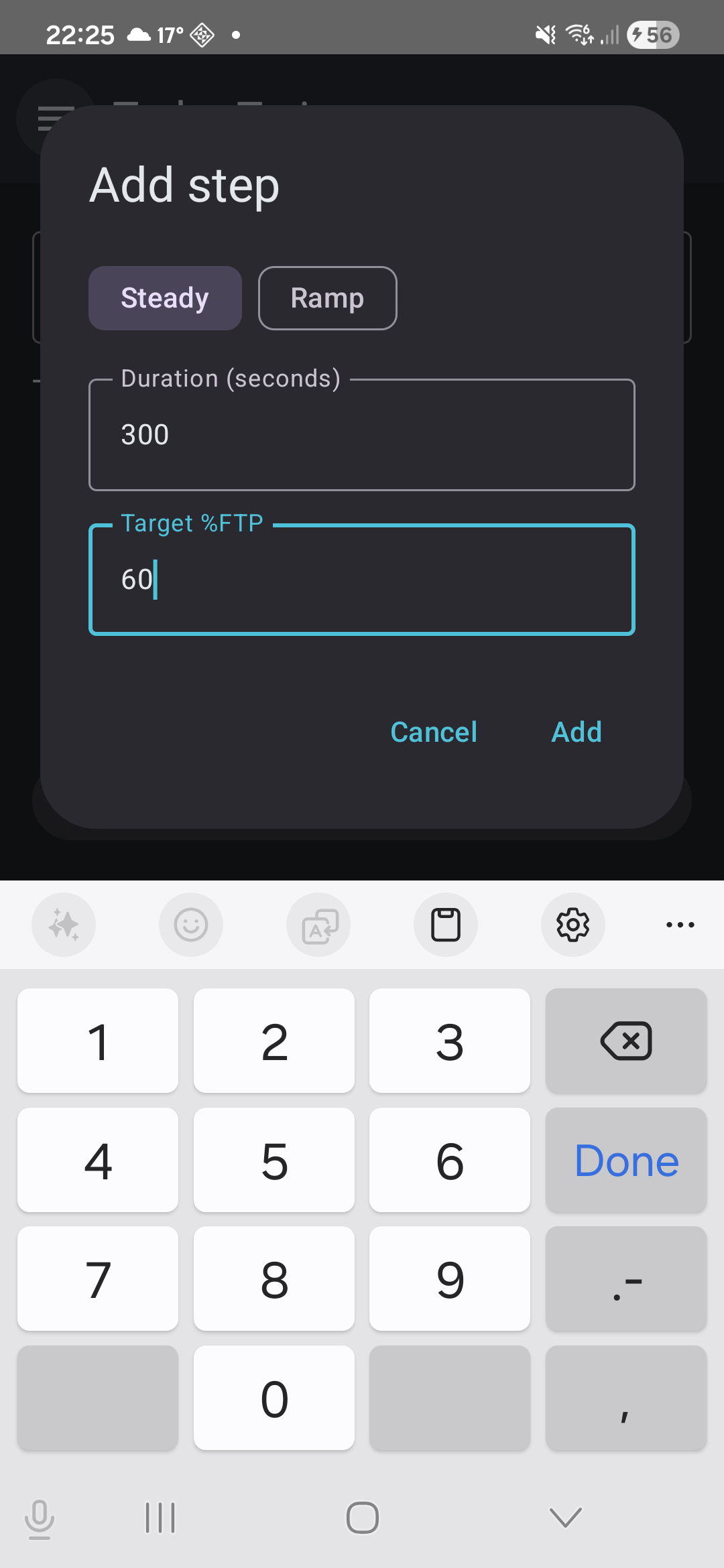
Adding a step -
3. Check the shape
As you add steps, a profile chart shows the whole workout's %FTP-over-time shape — flat blocks for Steady steps, sloped for Ramps — so you can see the session you're building, not just a list of numbers.
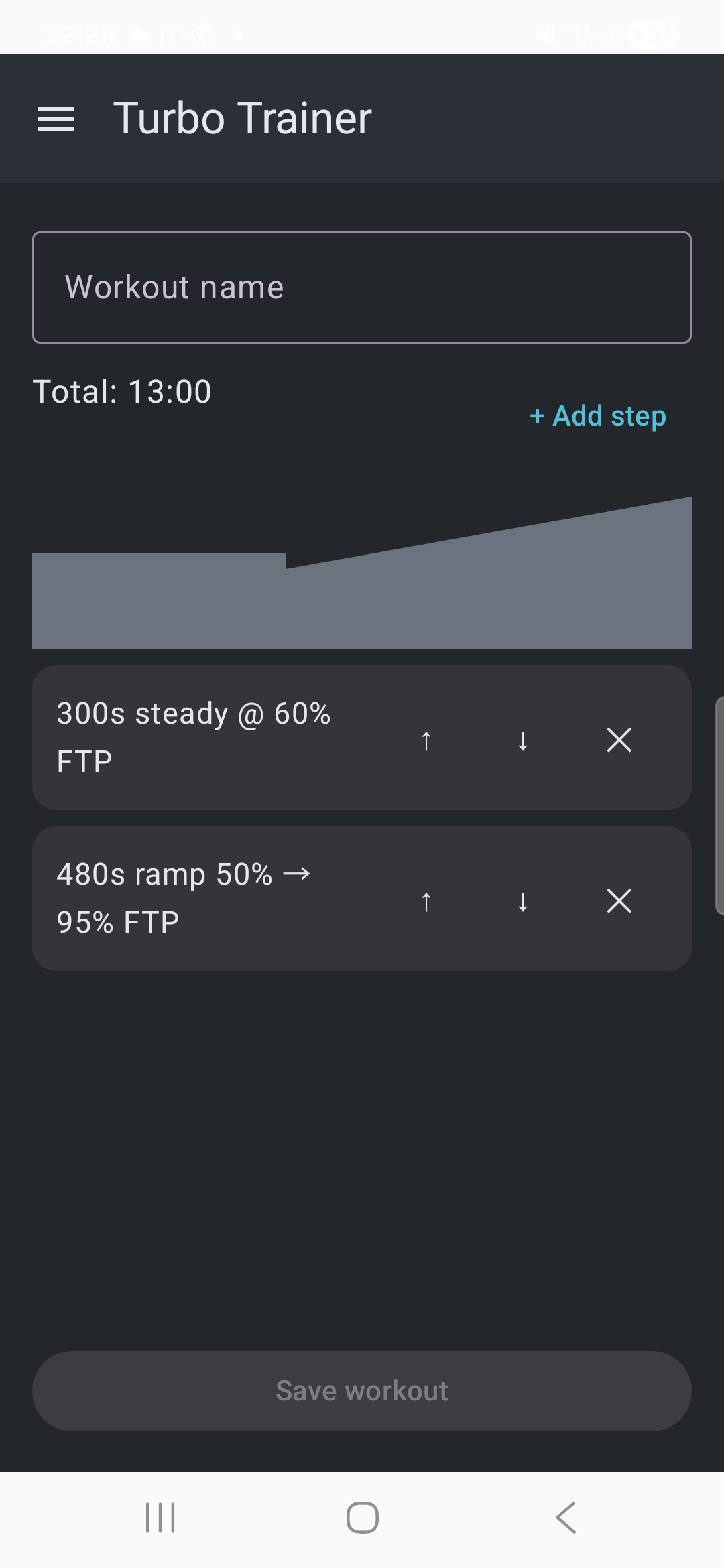
The profile chart updates as you add steps -
4. Edit, reorder, or remove a step
Tap anywhere on a step to reopen it and change its duration or %FTP. Use the up/down arrows to move it, or the × to remove it. The running total duration at the top updates as you go.
-
5. Repeat a block of steps
Building an interval set (say, 8× 30 seconds on, 30 seconds off) doesn't mean adding all 16 steps by hand. Tick the checkbox on the first step of the block and the last — anything in between comes along automatically, so you don't need to tick every single one. Tap Repeat…, enter how many times the block should appear in total, and it's expanded into that many steps, ready to fine-tune individually afterward.
-
6. Save and run it
Tap Save workout. It appears in My workouts, ready to run any time — Run fetches your current FTP and takes you straight into the live session.
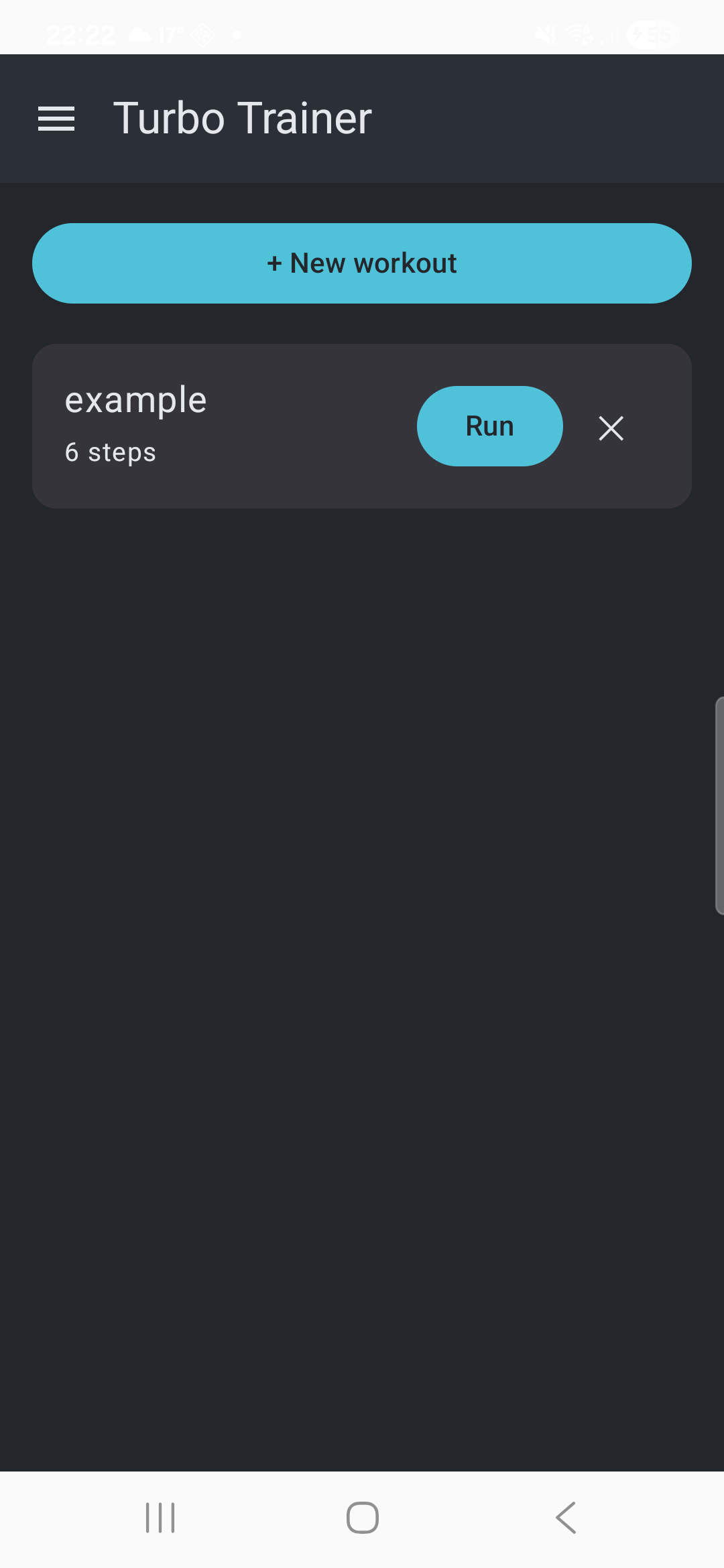
Your saved workouts, ready to run — or edit